Board, list, timeline, calendar, workload
Switch views without leaving the workspace. The board is drag and drop across New, In Progress, In Review, Blocked, Completed, and Cancelled.
Features
This list follows the app, not an older brochure. Screens are from the demo organization. There is no built-in video calling, no native mobile app, and no Slack or Google connector inside the product. The API and webhooks are how those connections get made.
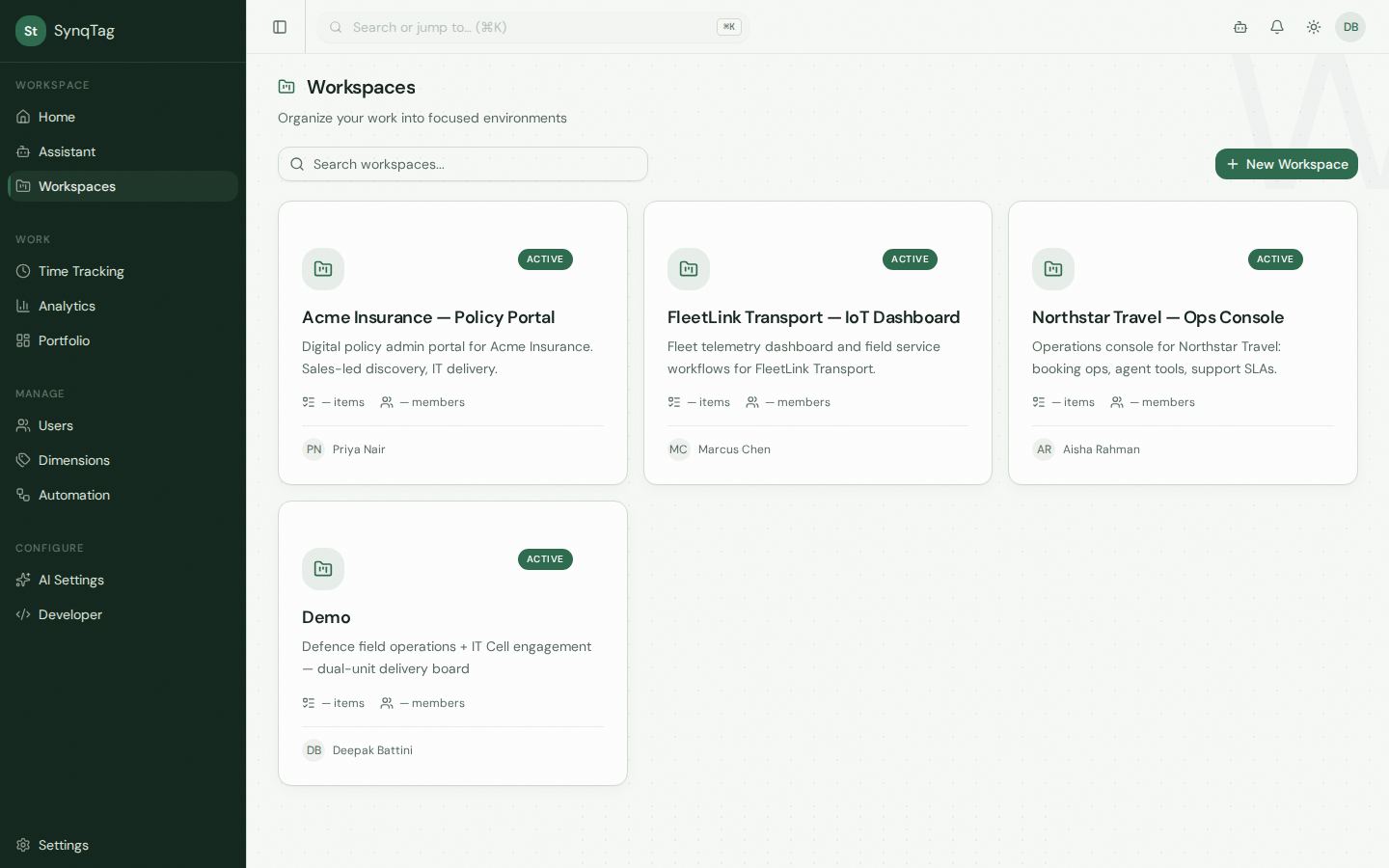
The unit of work. A workspace holds them, and you can look at the same set five ways.
Switch views without leaving the workspace. The board is drag and drop across New, In Progress, In Review, Blocked, Completed, and Cancelled.
Filter the workspace by status and priority, or search the title. Home also has chips for your tasks, high priority, due this week, overdue, and unassigned.
Discussion stays on the item. Tags come from your dimensions. Files attach to the work.
Import and export work items from the workspace when you are moving a list, not retyping it.
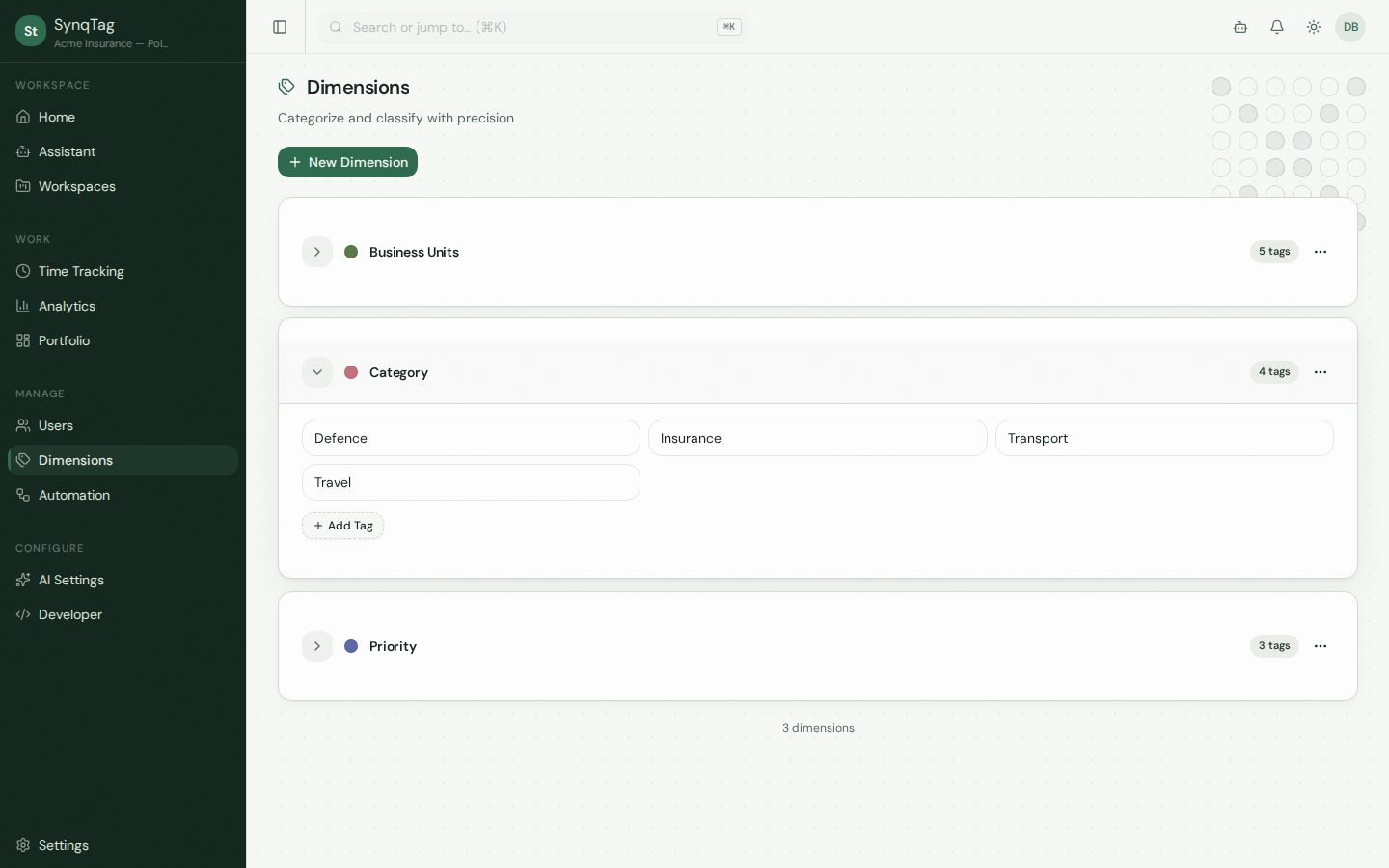
Dimensions are the organizing idea. A dimension is a category you define. Tags live inside it.
The demo has Business Units (5 tags), Category (4), and Priority (3). An item can carry tags from more than one dimension, which is how “Insurance” and “IT Cell” sit on the same card.
Admin, Manager, Contributor, Stakeholder, and Guest. A guest can view and comment on assigned workspaces. Stakeholders get read-oriented access, including reports.
Each workspace has a page tree for the write-up that should not live in a comment. Share links let a client open a page without an account.
A workspace can carry a budget. The organization can see every workspace at once.
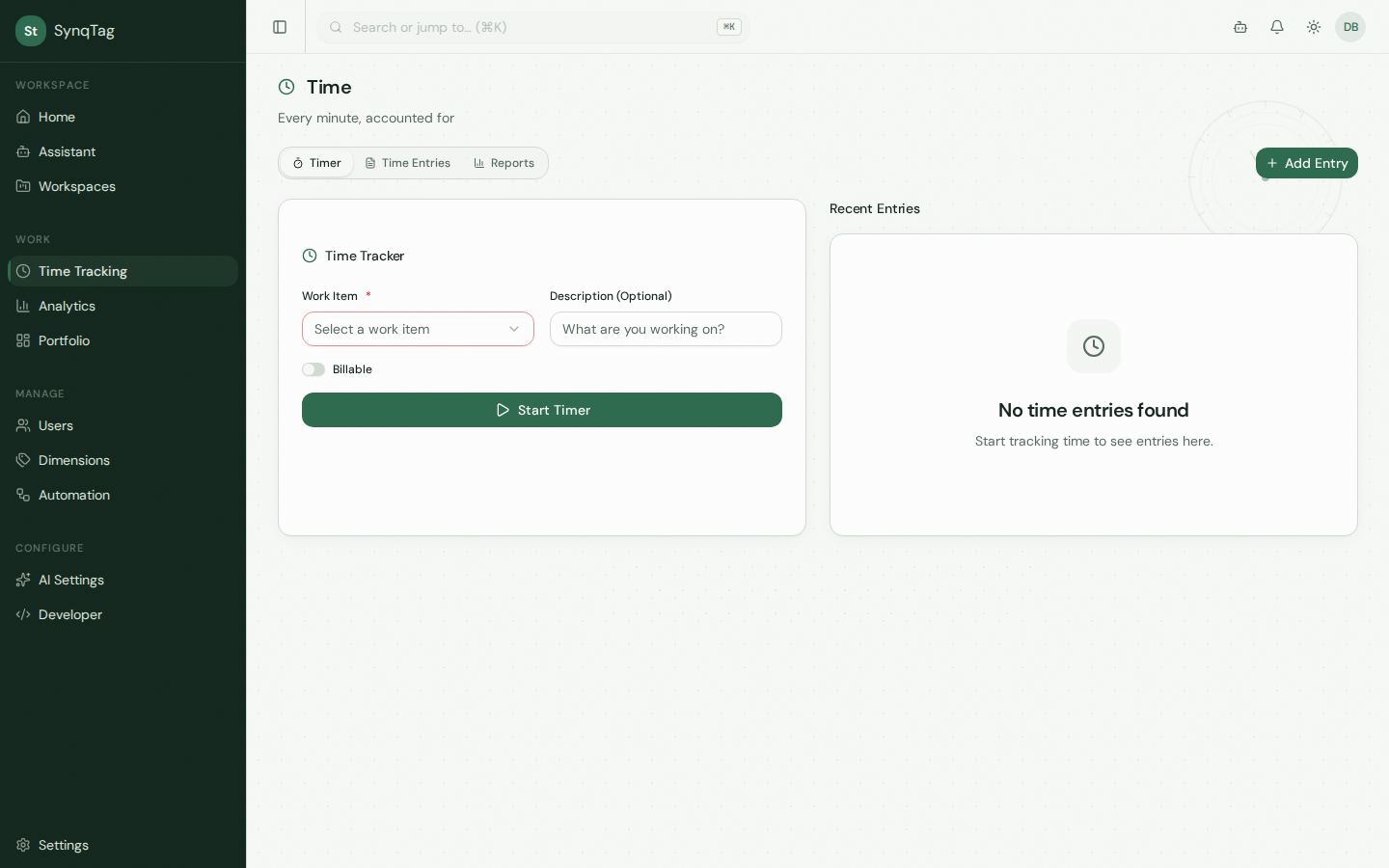
Start a timer against a work item, mark it billable, or add an entry by hand. Reports sit on the same Time page.
Set a budget, then read billable burn, remaining, and hours against the estimate. The panel also splits estimated hours by assignee.
Open items, overdue, at-risk workspaces, estimated hours, and budget remaining. The weekly email goes out Mondays at 07:00 UTC.
Per workspace: a dashboard, team performance, and time tracking. Pick the workspace, then update the snapshot.
Rules for the repetitive cases. An assistant for the question you would otherwise ask in a standup. Keys for the tools you already run.
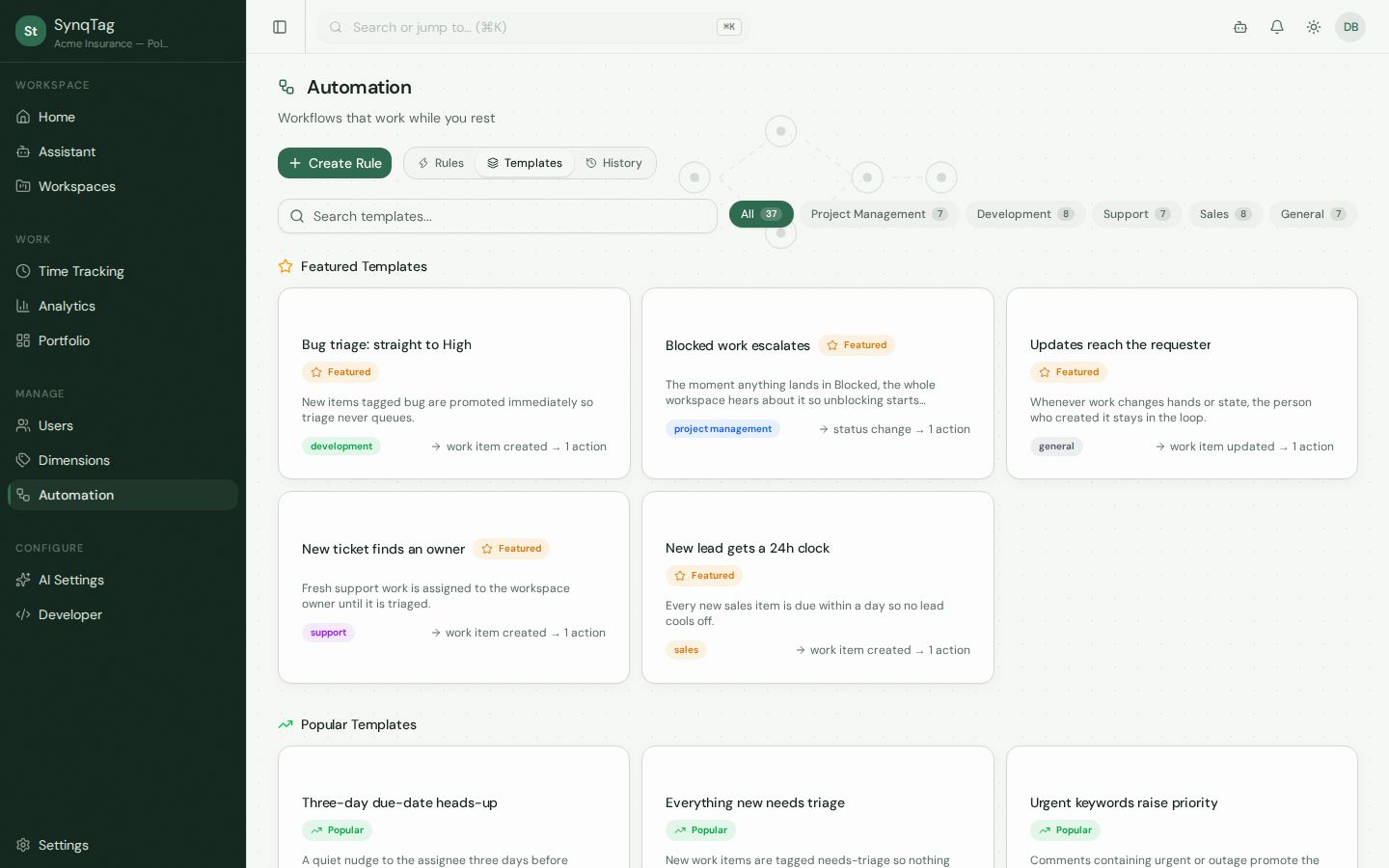
Eight triggers: created, updated, status, assignment, comment, due date approaching, tag added, priority. Nine actions, including assign, change status or priority, add or remove a tag, notify, create an item, comment, and set a due date.
Thirty-seven templates across project management, development, support, sales, and general. “Blocked work escalates” notifies the workspace the moment something lands in Blocked.
Scoped to a workspace. It can list items, apply tags from your dimensions, and propose changes. Destructive actions wait on an approval card. Session artifacts collect the items and pages it touched.
API keys and outbound webhooks aimed at Zapier, Make, n8n, and your own code. The organization is taken from the key.
Plans and the limits that come with them are on the pricing page. A walk through the screens is on the product tour.